
Mid Year Update
It's been a long time since the last update from Booko - this one's a whopper.
Price Alerts are Dead, Long Live Price Alerts
Earlier this year, I was notified that Booko had to disable alerts and price history to stay in compliance with one of our affiliates. It’s a shame because they’re some of my favourite Booko features. You can read the linked post, but in short, I put together a new site: The Book DB. If you’re keen to have alerts back, head over to The Book DB, login in using “Login Via Booko”. When you view your alerts there, you’ll have the option to import your alerts from Booko to save you re-entering them. Enjoy!
Track your Reads, and your Wants
Lists have always been a part of Booko. Initially they started out more like a shopping cart, calculating the total price including the shipping - and they were great at that. Another use for lists is tracking your Want (to read) / Reading / Read / DNF (did not finish) - but Booko wasn't set up for it; you had to set up lists for each category and then add books into them. Well, no more! I've recently added a feature for reading tracking.
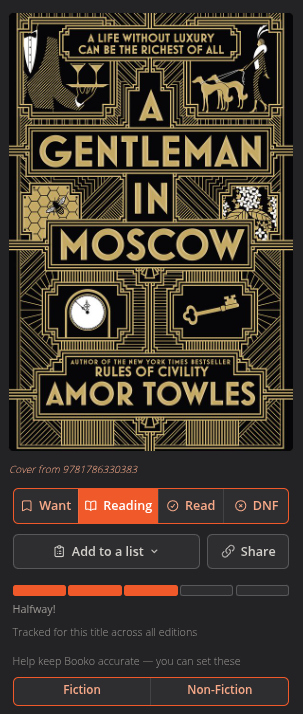
On each product page, you can see buttons for marking the book as Want (to read) / Reading / Read / DNF and for a book you're reading, there are 5 buttons you can click to mark your progress. To see all your tracked books at once, check out the new Reading page.
On this page, logged-in users will see another feature: you can help Booko categorise books correctly by clicking "Fiction" or "Non-Fiction". You'll find genre and language widgets, too, and you can use them to help make the catalogue more accurate.
Reader Profiles and Vote for your Books
Once you're tracking your Read and Want lists, you might like to rank your favourite books. Star systems don't really help here - what works much better, is voting on them!
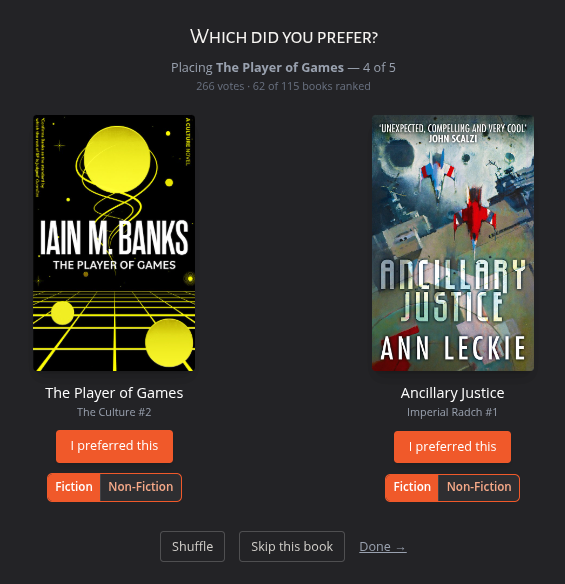
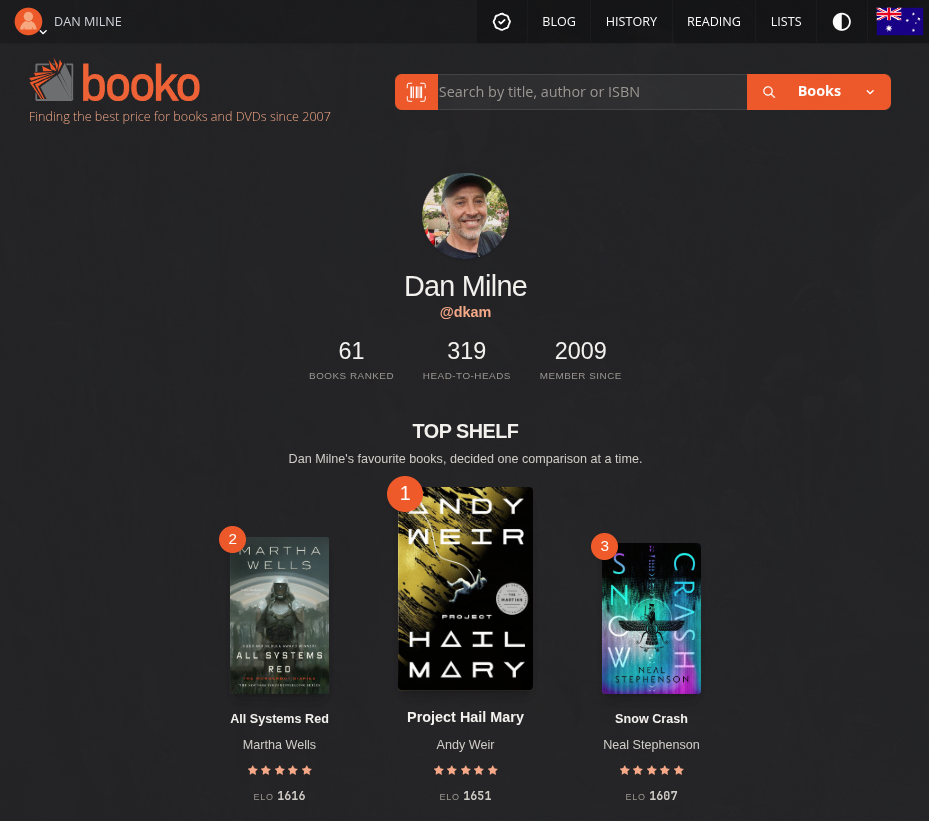
Where do you see the results of these newly ranked books? On the new Profile page ( which is private by default! ). Here you can see my profile page (which I’ve made public) with my top three books.
Booko Buddy is Back Baby!
Booko Buddy is back! The developer behind Booko Buddy has fired up Xcode, tidied up and fixed some bugs. Booko Buddy was first released 14 years ago! You can download it on the App Store.
A better way to request support
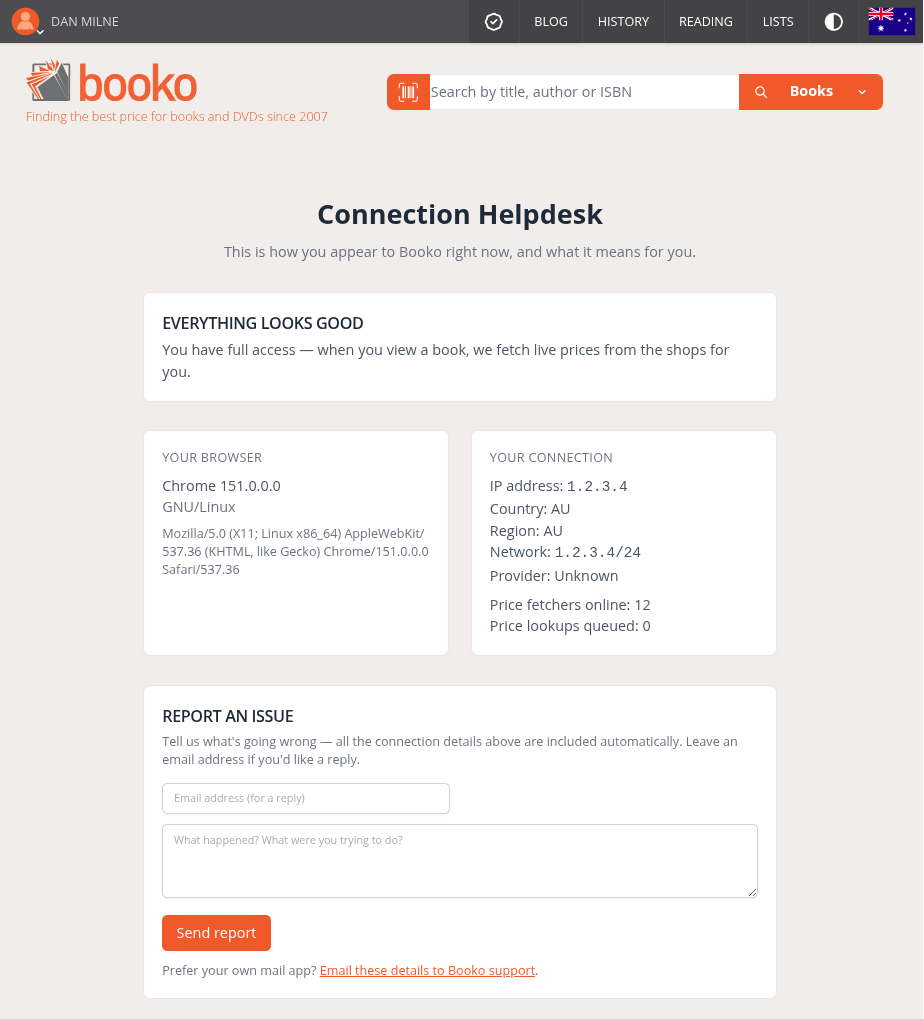
Bots are making things hard on Booko, so when Booko’s not working the way it should for you, the new Helpdesk page makes it easier to see what might be wrong. It could be your IP address has been accidentally marked as a bot network or perhaps there are lots of price lookups queued, making Booko run slow.
When you hit Send Report, these kinds of details are included in the email to help me figure out what's going on.
And that’s a wrap - thanks for reading!